v0.1.0 released Open source · AGPL-3.0

Hardware keys. Multi-party approval. Open source.

Your private key lives in your device's secure chip and never leaves. Critical actions need sign-off from multiple people. No passwords. No shared secrets. Just proof.

iOS · Android · macOS · Windows · Linux · AGPL-3.0
Sigil Auth is an open source push authentication system that uses ECDSA P-256 keys stored in device hardware. Authentication is cryptographic challenge-response — no passwords, no TOTP seeds, no shared secrets. The private key lives in the Secure Enclave (iOS) or StrongBox (Android) and never leaves the chip.

Tap to approve. That's it.

Push arrives. Biometric gate. Cryptographic signature. Mutual authentication — both sides prove identity, every time.

1

Server signs a challenge

Your app calls the SDK. Server generates a random challenge, signs it with its private key, pushes to the device.

2

Device verifies, user approves

Device verifies the server signature — phishing sites can't fake it. User sees what they're approving and confirms with Face ID or fingerprint.

3

Device signs the response

Hardware chip signs with the private key that never leaves. Server verifies the signature against the stored public key. Done.

server.ts Node
import { sigil } from '@sigilauth/sdk';

// Create a challenge bound to an action
const challenge = await sigil.auth.createChallenge(({
  userId:  'user_123',
  action:  'Sign in to acme-corp.com',
  ttl:     120,
});

// Push arrives on user's device
// User approves with Face ID
// Hardware signs with key that never leaves the chip

const { verified, pictogram } = await
  sigil.auth.verify(challenge.id);

// verified:  true
// pictogram: ['🍎','🍌','✈️','🚗','🐕']

Hardware-backed, from the chip up.

Private keys generated in Secure Enclave or StrongBox. Stateless service. Native multi-party quorum. Open source from day one.

Your keys never leave your device.

Private keys are generated inside the Secure Enclave (iOS) or StrongBox (Android). The chip signs; it doesn't export. A server breach yields only public keys — which are, by definition, public.

No TOTP seeds sitting in databases. No SMS codes to intercept. No shared secrets to steal.
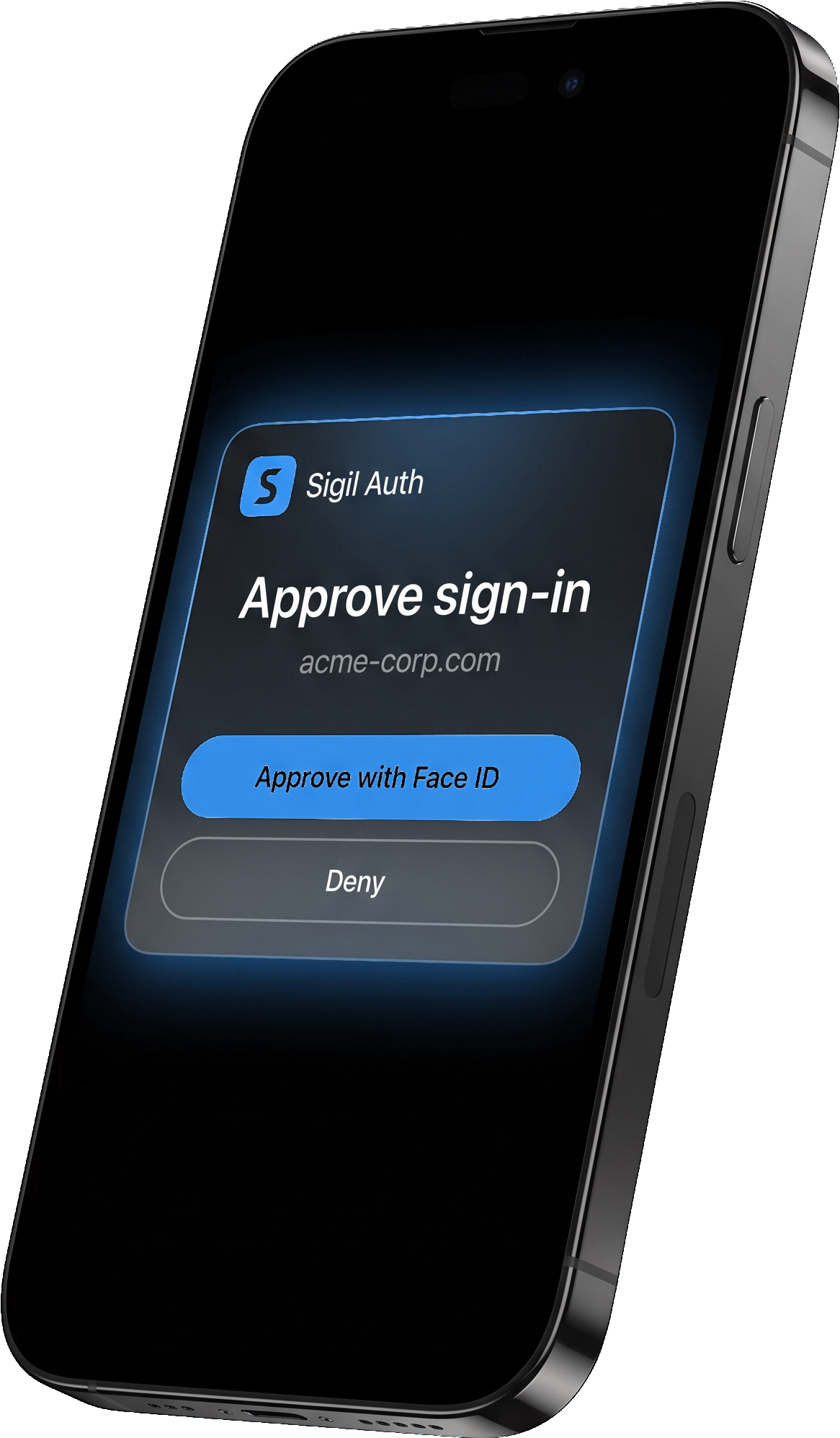
Phone showing a Sigil Auth push notification to approve sign-in, with a glowing Approve with Face ID button

Stateless, by design.

The auth service stores nothing. No user database. No key table. Identity is mnemonic-derived and deployed as a single Docker image. Your app keeps its own user → device_public_key mapping.

Nothing to breach. Nothing to migrate. Nothing to pay per-seat for.

Test without a device.

The CLI tool simulates an iOS/Android device for integration testing. Perfect for CI pipelines, local dev loops, and smoke tests. No phone required.

Get the CLI →

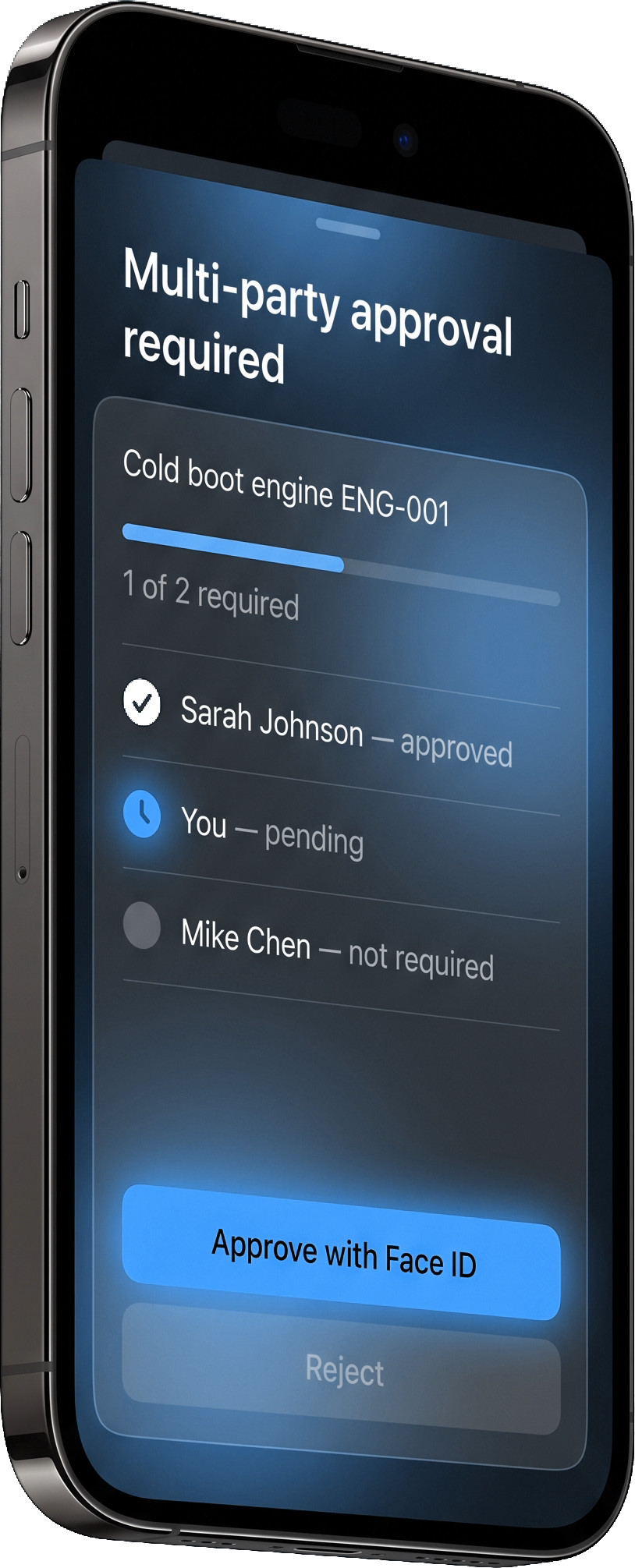
Big decisions need more than one yes.

Destructive operations shouldn't hinge on a single compromised credential. Sigil supports native M-of-N quorum — delete the production database? That's going to need sign-off from 2-of-3 admins first.

  • Group-based — quorum is over people, not devices. Same person on two phones counts once.
  • Action-scoped — every approver sees exactly what they're signing. No blind approvals.
  • Cryptographically verified — each signature is checked against a registered public key. No fakes.
  • Unique to Sigil — Duo locks this behind enterprise. WebAuthn can't express it. Passkeys don't approve together.
Phone showing multi-party approval UI with Sarah Johnson approved, user pending, and Mike Chen not required

How Sigil stacks up.

Every method has trade-offs. Here are the ones that matter.

MethodSecretHardwarePushM-of-NLicenseSelf-host
Sigil AuthNoneYesYesNativeAGPL-3.0Yes
WebAuthn / PasskeysNoneYesNoNoSpec onlyYes
TOTP (Authy, Google Auth)Yes — seedNoNoNoVariousYes
Duo / Okta MFANoneOptionalYesEnterprise onlyNoNo
YubiKey (hardware token)NoneYesNoNoFirmware closedN/A

Five emoji. One proof.

Every device and server gets a 5-emoji pictogram deterministically derived from its public key. Speak it over the phone. Compare it with your admin. Confirm you're paired with the right endpoint before any trust is established.

apple · banana · plane · car · dog

256-emoji speakable set. Skin-tone-free. Flag-free. Compound-free. Derived from SHA-256(public_key).

Answers.

What is Sigil Auth?

Sigil Auth is an open source push authentication system that uses ECDSA P-256 keys stored in device hardware. Authentication is cryptographic challenge-response — no passwords, no TOTP seeds, no shared secrets. The private key lives in the Secure Enclave (iOS) or StrongBox (Android) and never leaves the chip.

How is Sigil Auth different from WebAuthn?

Sigil Auth provides push-based authentication and multi-party authorization (M-of-N approval) — capabilities WebAuthn doesn't offer. Both use asymmetric cryptography; Sigil adds the push channel and group approval workflows.

Is Sigil Auth free?

Yes. Sigil Auth is open source under AGPL-3.0 (code) and Apache-2.0 (API specs). No per-seat licensing, no commercial plans. Use it, modify it, deploy it at any scale without paying licensing fees.

Does Sigil Auth work offline?

Authentication requires network connectivity to deliver push notifications and verify signatures. The cryptographic keys remain in device hardware regardless of network state — once a challenge is delivered, the device can sign it without internet access, but the response must be transmitted back to the server for verification.

What happens if I lose my phone?

Each device has its own keypair. If you lose a device, the admin can revoke that device's public key from the server. Your other registered devices continue to work. For account recovery, the admin registers a new device using the pairing flow (QR code or 8-digit code).

What platforms does Sigil Auth support?

Native apps for iOS (Secure Enclave) and Android (StrongBox). Desktop apps for macOS, Windows, and Linux. The auth service runs in Docker and works with Go and Node SDKs for integration into your application.

Can I use Sigil alongside my existing login?

Yes. Sigil is designed as Tier 2/3 — step-up authentication and multi-party approval, not initial login. Use passwords or passkeys for sign-in, then use Sigil to gate sensitive operations that deserve stronger proof.

Ship it this week

Ready when you are.

Read the docs. Clone the repo. Self-host in an afternoon. Or ask a question — the protocol spec is public.